
iMessage message types
iMessage message types · iMessage API message types · send iMessage tapback API · iMessage effects API · iMessage contact card API · iMessage photo carousel API · edit unsend iMessage APIEvery message type you can send on iMessage, with the API call and how it looks on the contact's iPhone.
Each type below is one API call. The screenshots are real messages sent through the Flow API, as they appear on the contact’s iPhone. Setup, lines and limits are on iMessage.
Every call takes your key in Authorization: Bearer and an Idempotency-Key, as in this one:
curl https://api.flow.engineer/v0/conversations/$CONV/basic \ -H "Authorization: Bearer $FLOW_MESSAGING_KEY" -H "Content-Type: application/json" \ -H "Idempotency-Key: evt_123:hello" \ -d '{"text": "Hi! This is a plain iMessage sent through the Flow API."}'A message that goes by SMS or RCS instead (see SMS and RCS from the same number) shows its text and files, without styles, a subject, an effect or your line’s contact card.
Plain text, sent exactly as written, up to 9999 characters.
POST /v0/conversations/{conversation_id}/basic
{ "text": "Hi! This is a plain iMessage sent through the Flow API." }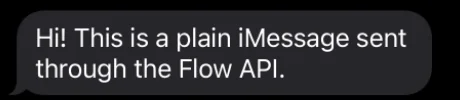
Reaction (tapback)
Section titled “Reaction (tapback)”A reaction on one of the contact’s messages. ❤️ 👍 👎 😂 ‼️ ❓ show as tapbacks; any other emoji shows as an emoji reaction. "emoji": null removes one you sent. Not in group chats.
POST /v0/conversations/{conversation_id}/reaction
{ "message_id": "msg_01JB8ZC3K5M7P9R1T3V5X7Z9C2", "emoji": "❤️" }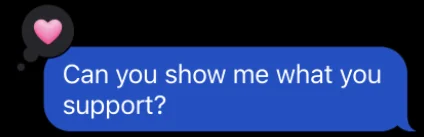
Inline reply
Section titled “Inline reply”A reply attached to an earlier message: Messages shows the quoted message above yours. Add reply_to to a basic message (or any other kind).
POST /v0/conversations/{conversation_id}/basic
{ "text": "Sure, here's everything, replying to your message inline.", "reply_to": "msg_01JB8ZC3K5M7P9R1T3V5X7Z9C2" }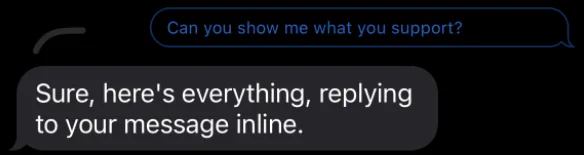
Subject line and text styles
Section titled “Subject line and text styles”imessage.subject (up to 200 characters) is a bold line above the text. imessage.styles styles ranges of the text (start and length in UTF-16 code units): bold, italic, underline, strikethrough, big, small, or the animations shake, nod, explode, ripple, bloom and jitter.
POST /v0/conversations/{conversation_id}/basic
{ "text": "Bold, italic and underlined text", "imessage": { "subject": "A subject line", "styles": [ { "start": 0, "length": 4, "style": "bold" }, { "start": 6, "length": 6, "style": "italic" }, { "start": 17, "length": 10, "style": "underline" } ] }}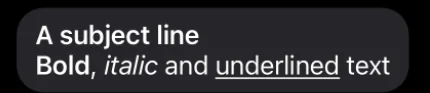
Effects
Section titled “Effects”Text sent with a full-screen or bubble effect: slam, loud, gentle, invisible_ink, echo, spotlight, balloons, confetti, love, lasers, fireworks or celebration. The contact can tap Replay to see it again.
POST /v0/conversations/{conversation_id}/effect
{ "text": "Sent with confetti", "effect": "confetti" }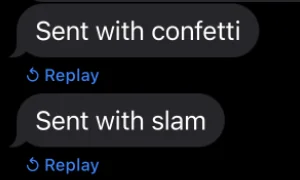
Link preview
Section titled “Link preview”A link shown as a rich card with the page’s image and title. iMessage shows previews by default; "link_preview": false sends the link as plain text.
POST /v0/conversations/{conversation_id}/basic
{ "text": "https://www.apple.com/iphone/", "link_preview": true }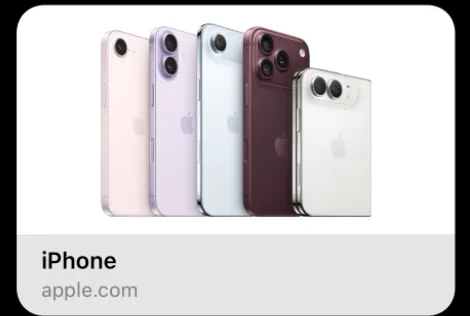
One image with an optional caption (up to 1024 characters). Give an HTTPS url, or a file_id from POST /v0/files. Files up to 100 MB.
POST /v0/conversations/{conversation_id}/basic
{ "text": "An image", "media": { "type": "image", "url": "https://example.com/fjord.jpg" } }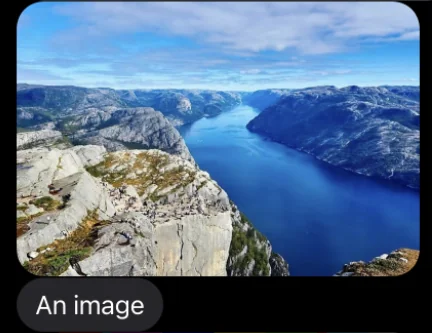
One video with an optional caption. The contact plays it inline.
POST /v0/conversations/{conversation_id}/basic
{ "text": "A video", "media": { "type": "video", "url": "https://example.com/clip.mp4" } }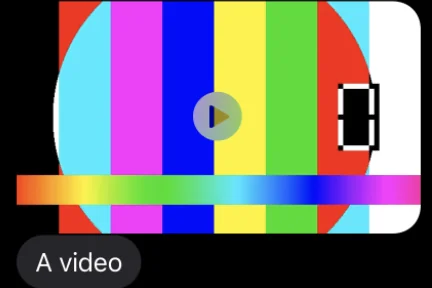
Document
Section titled “Document”A file such as a PDF, with an optional caption. filename is the name the contact sees.
POST /v0/conversations/{conversation_id}/basic
{ "text": "A PDF document", "media": { "type": "document", "url": "https://example.com/receipt.pdf", "filename": "receipt.pdf" } }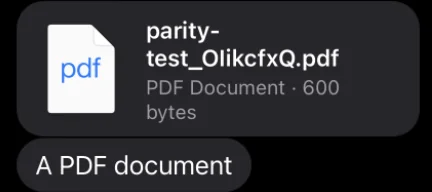
Voice note
Section titled “Voice note”An audio file shown with the voice note player and its waveform. Send an mp3, wav, m4a, caf or aac file.
POST /v0/conversations/{conversation_id}/voice
{ "url": "https://example.com/note.caf" }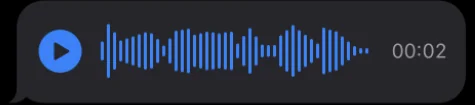
Contact card
Section titled “Contact card”A contact card the contact taps to save. Send the person’s vCard (a .vcf file) as a document:
POST /v0/conversations/{conversation_id}/basic
{ "text": "A contact card", "media": { "type": "document", "url": "https://example.com/card.vcf", "filename": "card.vcf" } }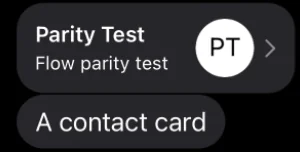
On a dedicated line, imessage.line_contact_card attaches your line’s own card (its name, photo and number) to a text. It needs text and cannot go with media; a shared line answers 422 unsupported_content.
{ "text": "Save my contact card so you can find me", "imessage": { "line_contact_card": true } }The /contact-card endpoint is for Telegram and WhatsApp; on iMessage it answers 422 unsupported_content.
Photo carousel (media group)
Section titled “Photo carousel (media group)”2 to 10 images and videos in one message, shown as a stack the contact swipes through, with one optional caption. Each item is an image or video with a url or file_id.
POST /v0/conversations/{conversation_id}/basic
{ "text": "A carousel of images", "imessage": { "media_group": [ { "type": "image", "url": "https://example.com/fjord.jpg" }, { "type": "image", "url": "https://example.com/pug.jpg" }, { "type": "image", "url": "https://example.com/forest.jpg" } ] }}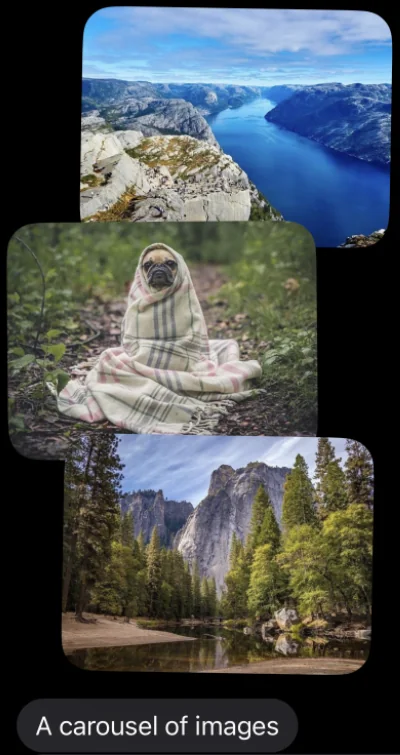
Use it instead of media. The /carousel endpoint (cards with buttons) is WhatsApp’s; on iMessage it answers 422 unsupported_content.
New text for a message you sent, within 15 minutes of sending. Messages marks it Edited. The message that started the conversation cannot be edited.
PATCH /v0/messages/{message_id}
{ "text": "This message was edited through the API" }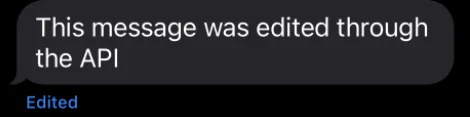
Unsend
Section titled “Unsend”Removes a message you sent, within 2 minutes of sending. The contact sees that a message was unsent.
DELETE /v0/messages/{message_id} (no body)

Typing and read receipts
Section titled “Typing and read receipts”These show no message bubble. Both work once the contact wrote, for 5 minutes after your line’s last message to them, and not in group chats.
-
Typing shows the typing indicator until your next message goes or a few seconds pass.
imessage.duration_seconds(1 to 60) sets how long.POST /v0/conversations/{conversation_id}/typing{} -
Read marks the whole conversation as read.
POST /v0/conversations/{conversation_id}/read{}
Related
Section titled “Related”- iMessage: lines, who writes first, group chats and limits.
- Message kinds: every channel side by side.
- API: Send a basic message, React to a message, Send text with an iMessage effect, Send a voice note, Edit a sent message, Unsend a message.
Thanks, we read every comment.